Tool and material transfers
Move responsibility, not just inventory.
Send a tool to a worker, move it to a warehouse, split a material balance and keep every answer, quantity and movement in one history.
Actual product screensEvery example below was captured from the current English Tools Tracker interface.
2destination types
1clear current holder
Yesrecipient confirmation
100%movement history
The transfer map
Four routes, two simple rules.
A person accepts responsibility. A warehouse receives inventory immediately. Materials follow the same rule while keeping quantities separate for every holder.
01 · Choose the destination
One transfer action, two clear directions.
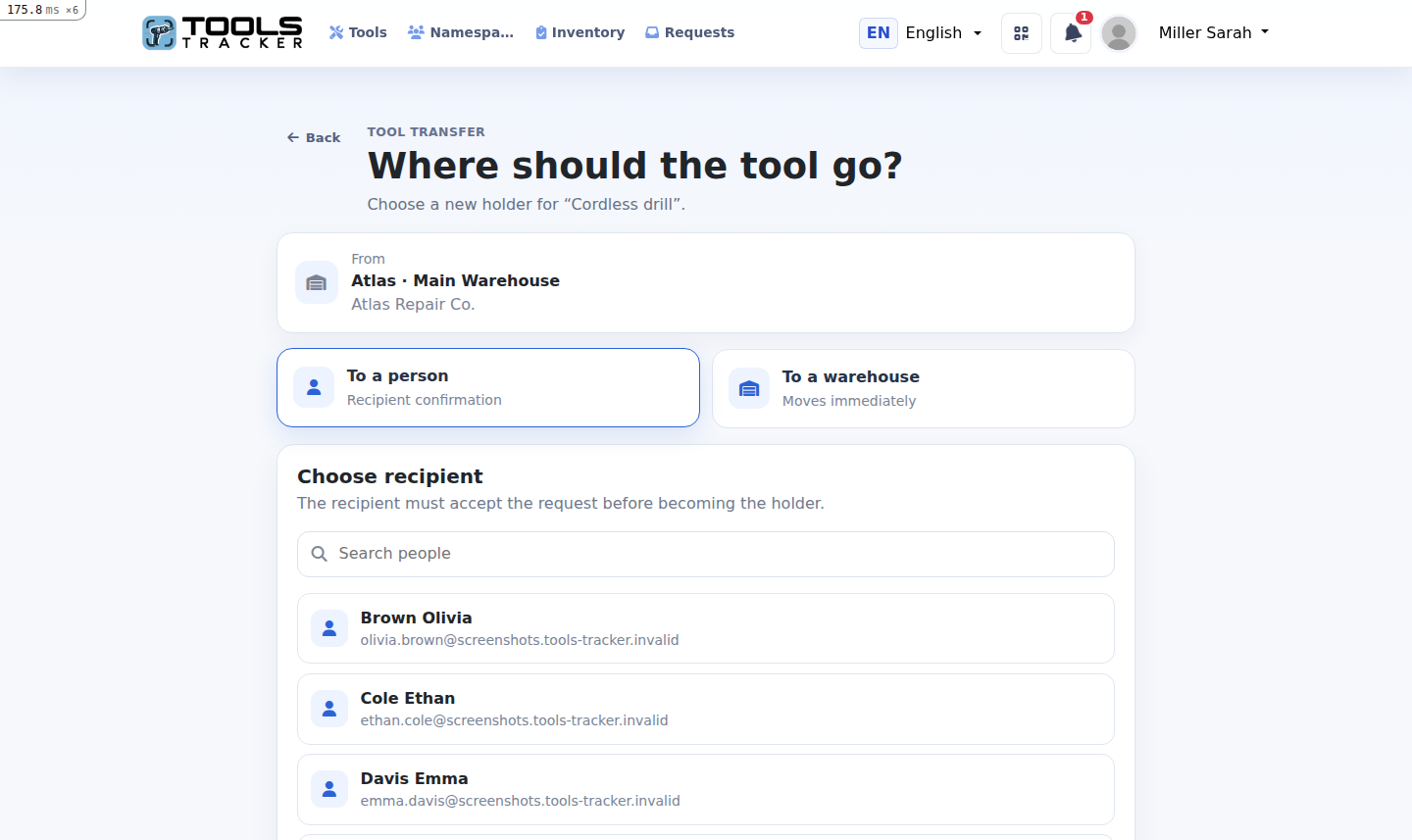
Open a tool and choose whether it goes to a person or a warehouse. On a single tool there are no selection checkboxes: you choose the destination directly.
- Search a registered workspace member
- Select an available workspace warehouse
- See the current holder before continuing
02 · Tool to a person
Responsibility changes after the worker answers.
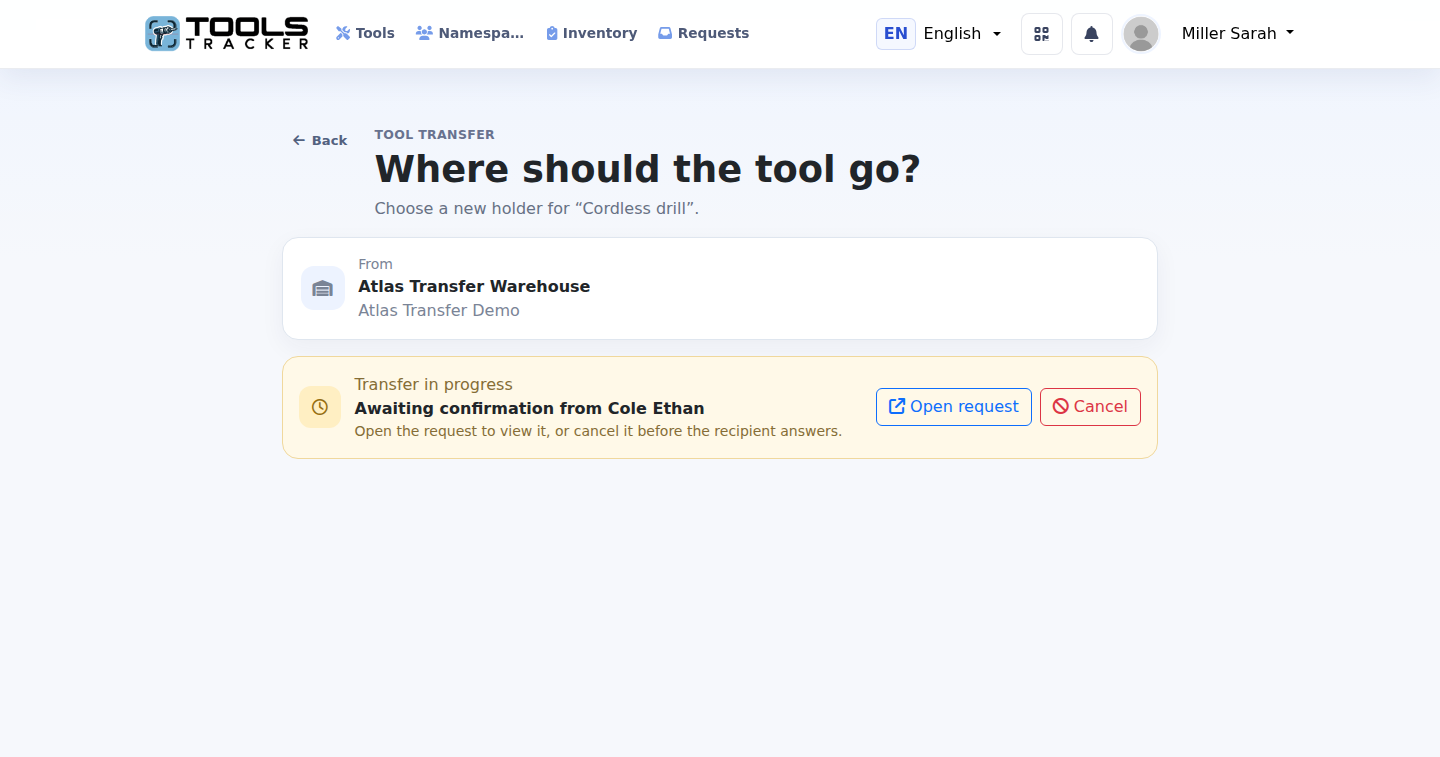
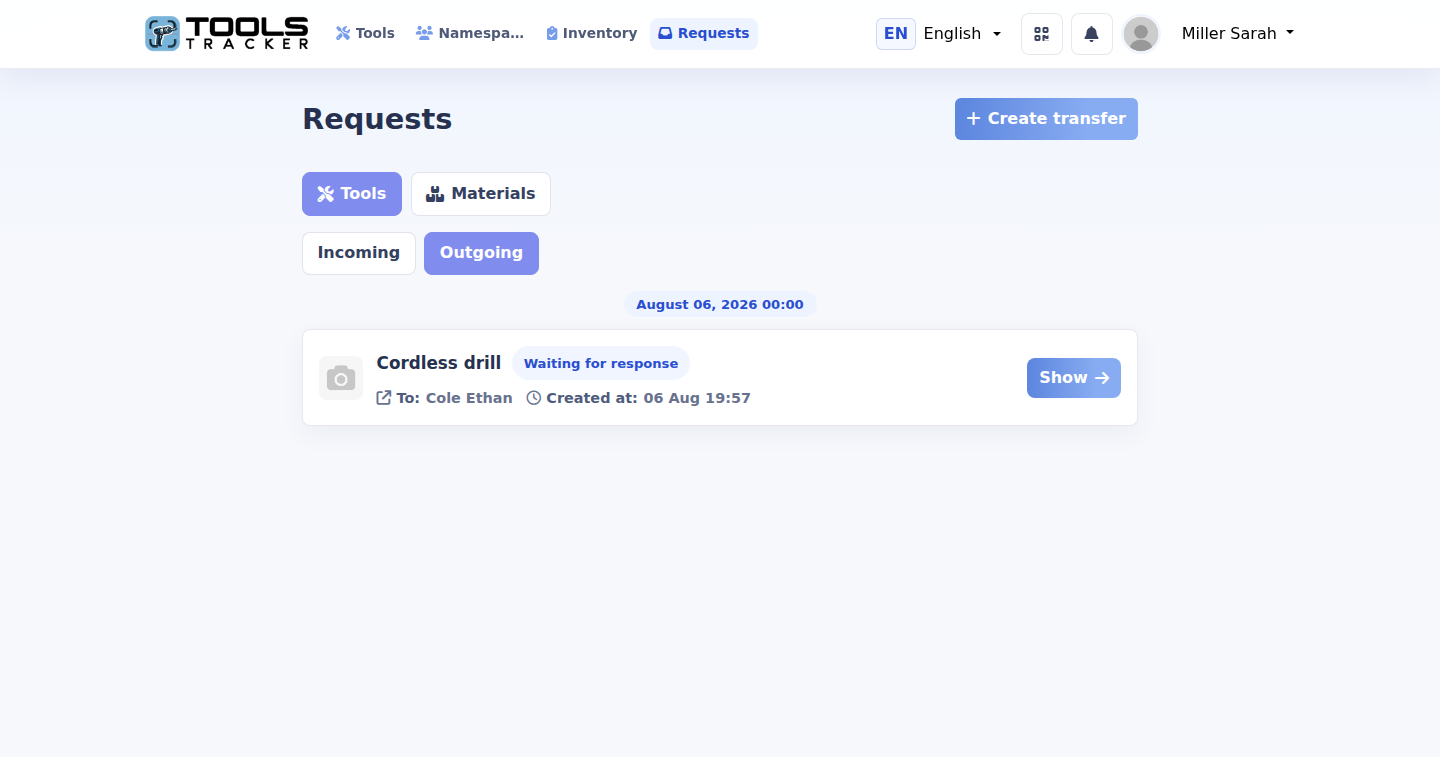
The recipient can accept or decline. Until then, the tool keeps its current holder, the request remains visible and another duplicate transfer cannot be created.
- Open the pending request from the tool
- Cancel it before the recipient answers
- Keep accepted, declined and cancelled results
03 · Tool to a warehouse
Storage receives the tool immediately.
A warehouse does not need to press Accept. An authorized employee moves the tool directly, and the warehouse inventory and activity are updated in the same operation.
- Only compatible workspace locations are available
- Warehouse access roles control who can operate it
- Tools can later be issued or returned
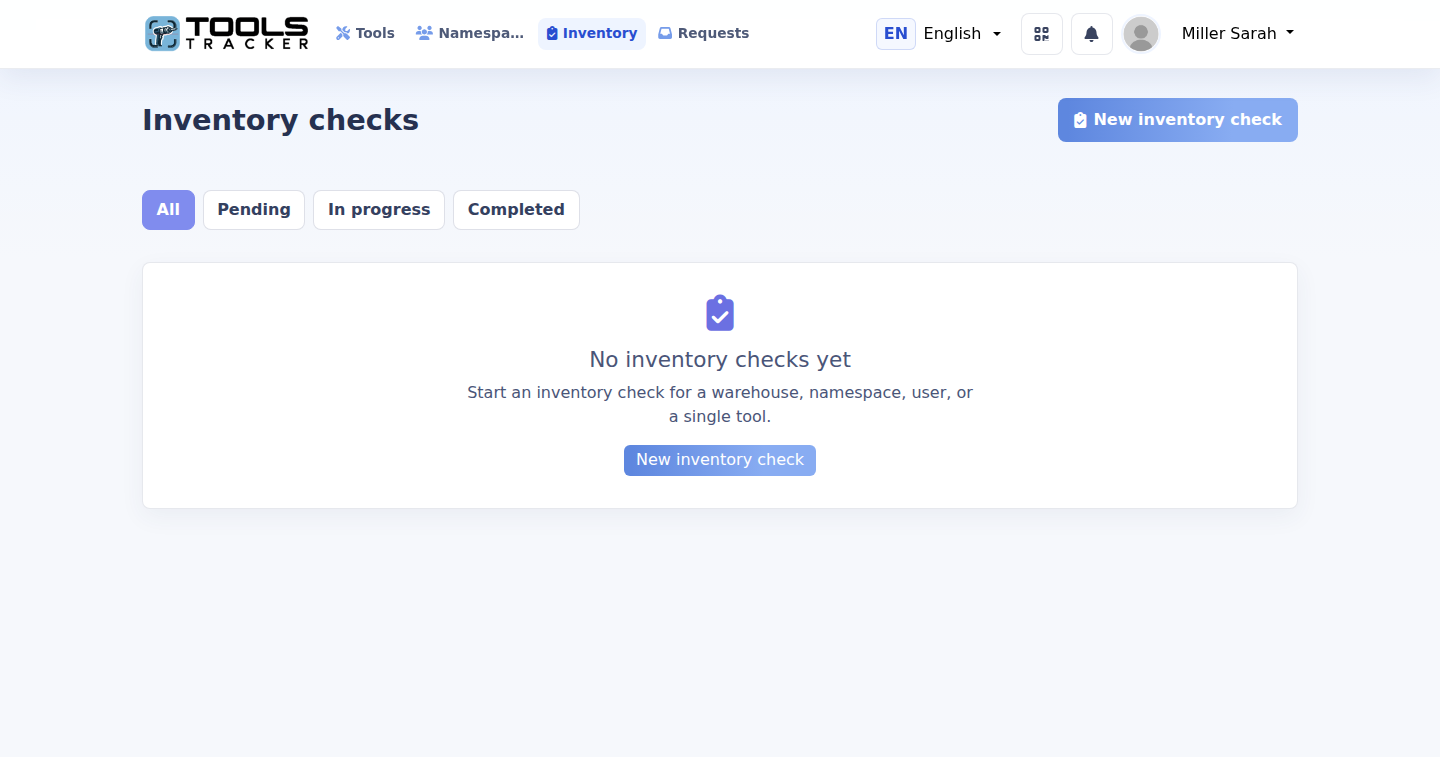
04 · Split a material balance
Transfer only the quantity that is needed.
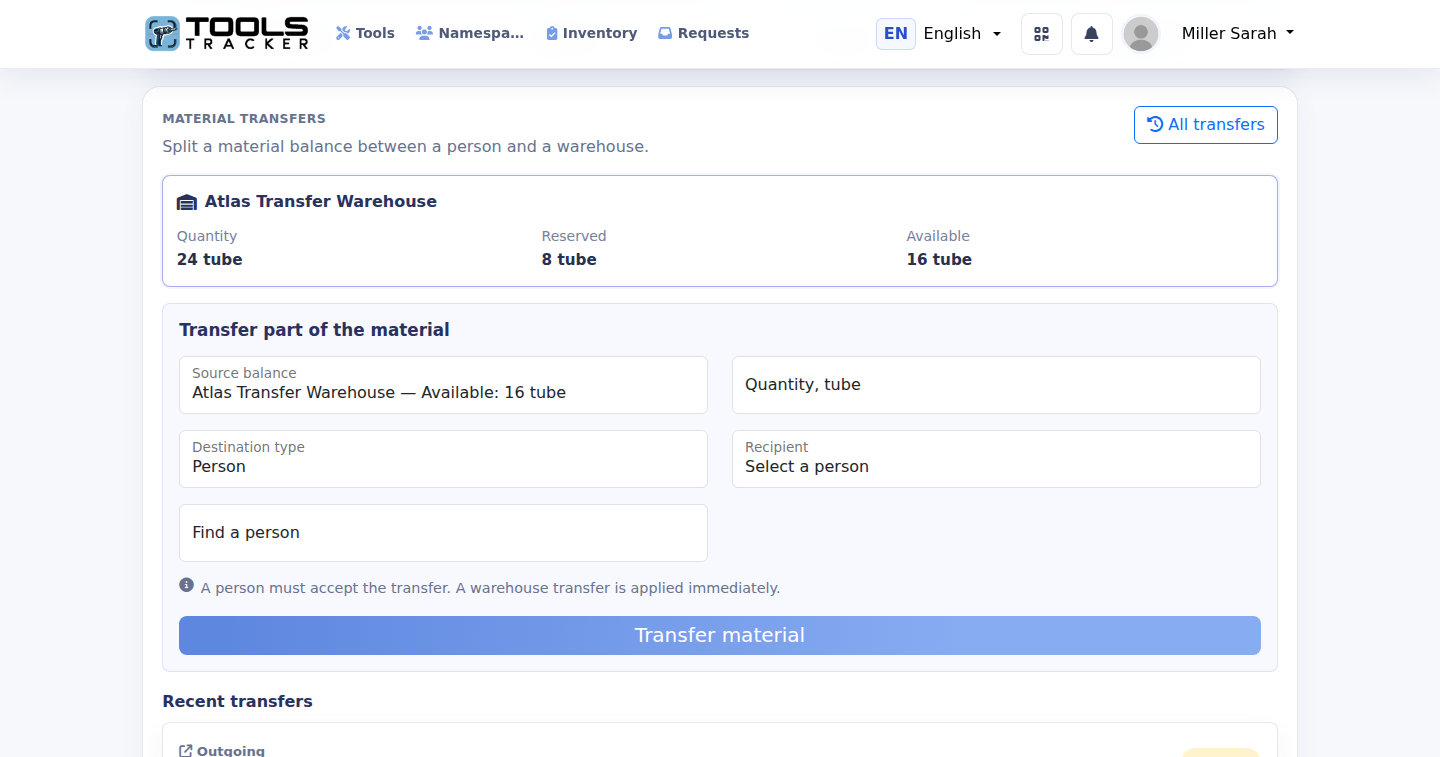
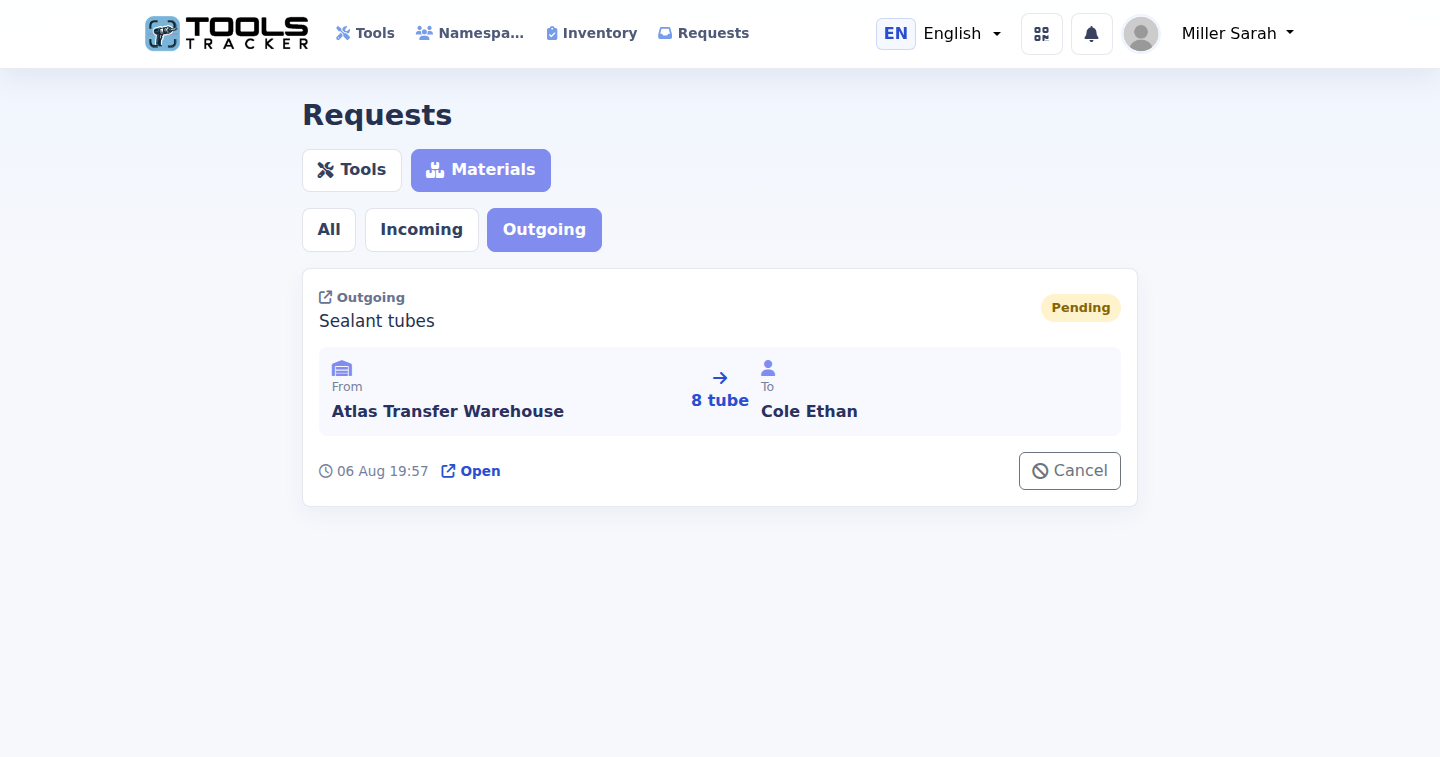
Materials are divisible. If a warehouse holds 24 tubes, you can send 8 and keep 16 available. Tools Tracker validates that the source has enough unreserved stock.
- Choose a source balance and quantity
- Send to a person or another warehouse
- Keep a separate balance for every holder
05 · Material confirmation
Reserved stock cannot be spent twice.
When material is sent to another person, the amount is reserved at the source. Acceptance creates the destination balance; rejection or cancellation releases it again.
- Incoming and outgoing material requests
- Accept, reject or cancel with a visible status
- Warehouse transfers complete without waiting
06 · One reliable history
Every route ends in the same timeline.
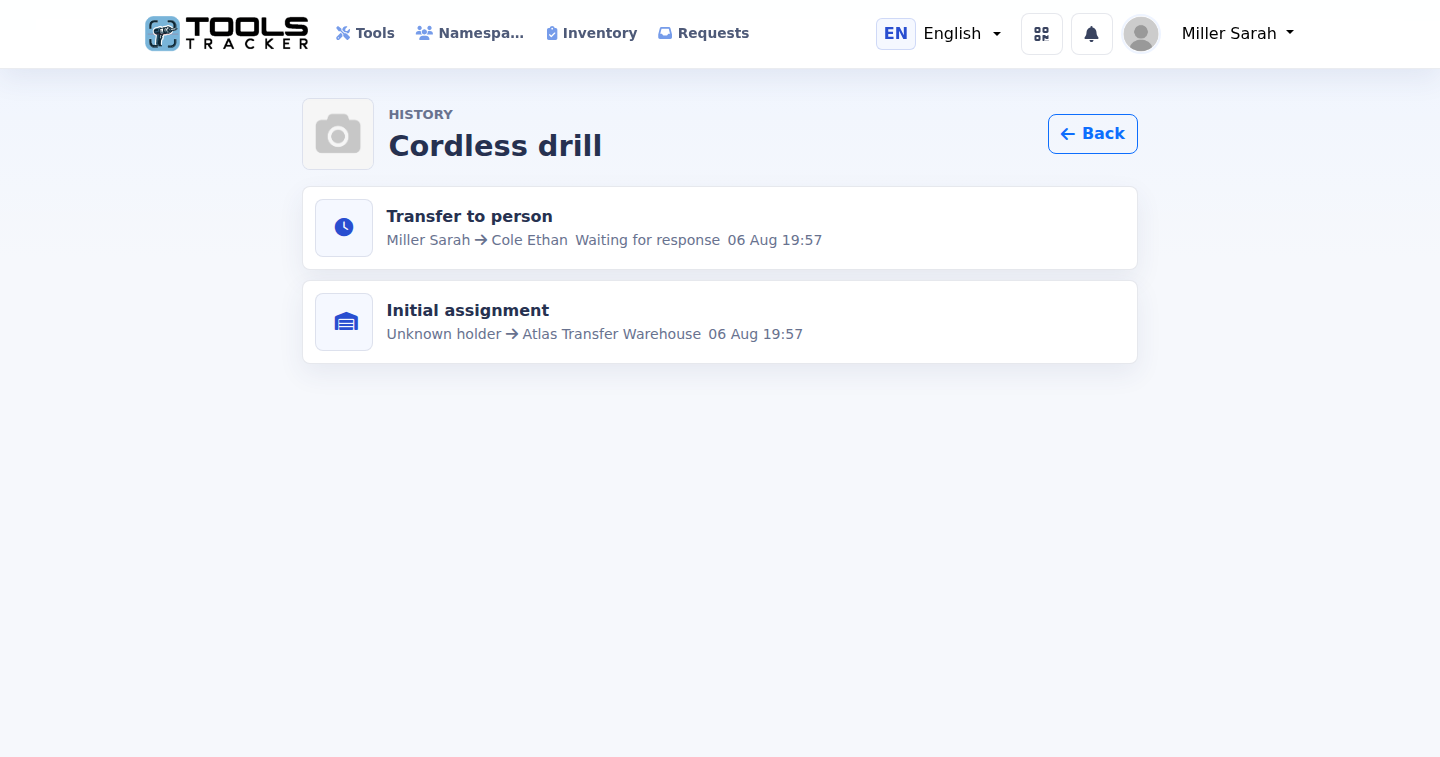
Requests and direct warehouse moves stay connected to the item. The history shows the actor, source, destination, time and final response without forcing the team to search through notifications.
- Initial assignment and warehouse movements
- Pending, accepted and declined person transfers
- Transfer-in and transfer-out material transactions
What the system guarantees
Clear stock and clear responsibility.
Each workflow protects the current holder, prevents unavailable quantities from moving and records the final result.
✓One tool holderA tool belongs to one person or one warehouse, never both.
✓No double spendingPending material quantities are reserved and excluded from available stock.
✓No silent movementsEvery direct move, request and answer remains visible in history.
Start with one transfer
Give every item a clear destination.
Create a workspace, add a warehouse and move your first tool or material balance.