Everything in Tools Tracker is free. No subscriptions, no card required.
For small repair companies

Every tool, material and worker in one clear workflow.

Follow a practical example of a 12-person repair company managing equipment across a warehouse, service van and active job sites.

Example companyAtlas Repair Co. is a fictional workspace created to demonstrate the product.
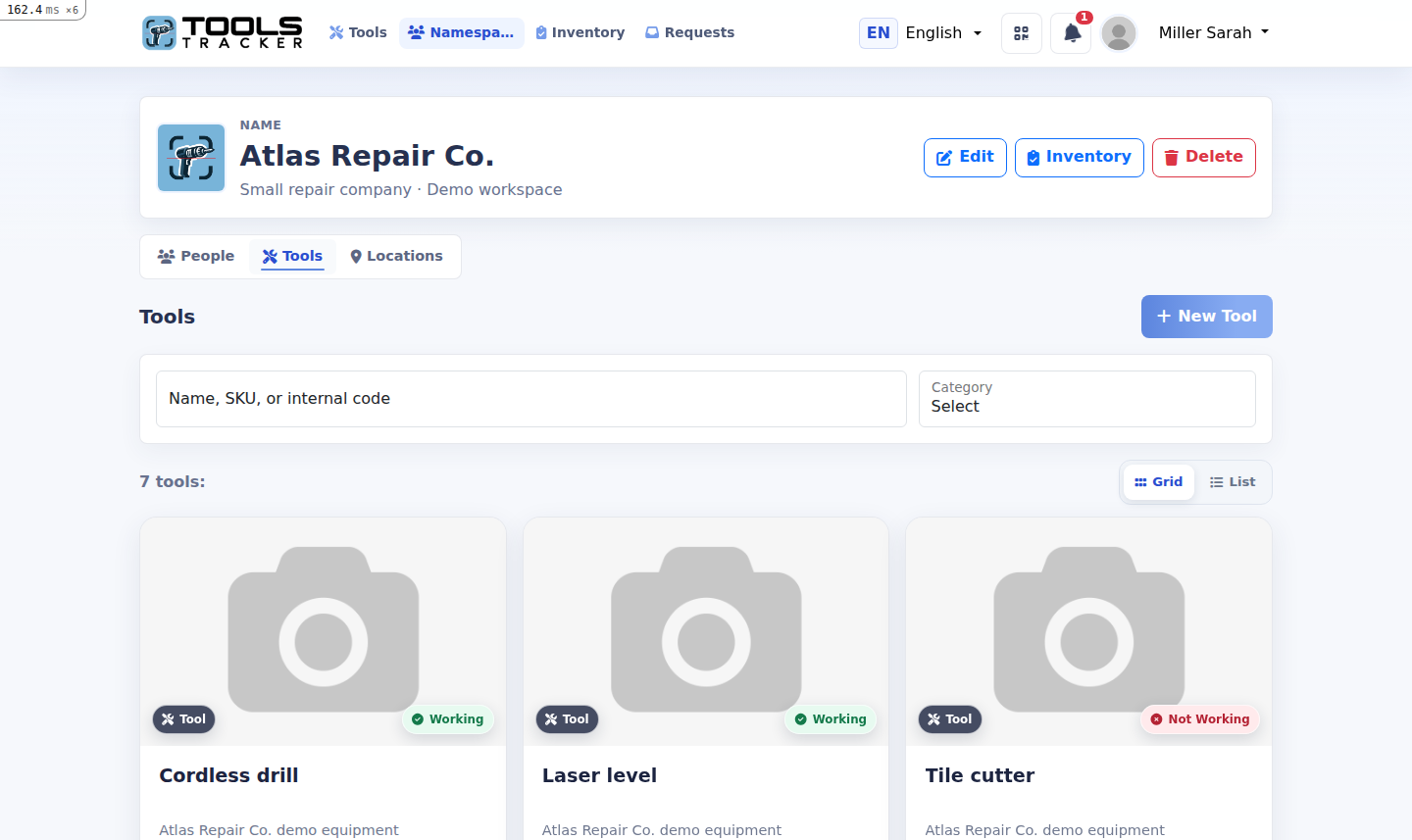
Actual Tools Tracker dashboard in English for Atlas Repair Co.
Actual Tools Tracker interfaceEnglish demo workspace
12registered workers
48tracked tools
3warehouses and sites
1complete history
A realistic setup

From company setup to daily handovers.

The example follows the same product logic available in Tools Tracker: workspace members, storage locations, accountable transfers and auditable material operations.

  1. 01Create the company workspaceInvite registered workers and assign roles.
  2. 02Add tools and materialsRecord equipment, quantities and QR codes.
  3. 03Create storage locationsWarehouse, van or active repair site.
  4. 04Transfer responsibilitySearch for a worker and request acceptance.
  5. 05Keep the historyKnow who moved, received or consumed each item.
01 · Company workspace

Bring registered workers into one team.

The owner creates a workspace for the repair company. Employees join with their accounts, while managers receive the permissions needed to manage locations and inventory.

  • Company owner and workspace administrators
  • Registered technicians and supervisors
  • Clear access without sharing one common login
Actual Tools Tracker workspace people and access screen
People and accessActual interface
02 · Equipment and consumables

Track tools and materials differently.

Reusable equipment has a current holder and condition. Consumable materials have quantities, units, minimum stock levels and a transaction history.

  • Photos, SKU and custom QR codes
  • Material quantities for each holder
  • Low-stock and out-of-stock states
Actual Tools Tracker tools and materials screen
Tools and materialsActual interface
03 · Warehouses and job sites

Use locations for every place that holds inventory.

Create the main warehouse, a service van or a temporary job site. Tools move directly to a location without waiting for a person to accept the transfer.

  • Connect locations to the company workspace
  • Control who can view or operate each location
  • Separate tools, materials and activity
Actual Tools Tracker warehouse inventory screen
Warehouse inventoryActual interface
04 · Accountable transfer

Find a worker and transfer the tool.

From the tool card, choose a destination, search for a registered employee and review the transfer before sending it. The recipient confirms responsibility in the app.

  • No selection checkboxes on a single tool
  • Search by name, phone, email or username
  • Pending state prevents duplicate requests
Actual Tools Tracker transfer destination and employee selection screen
Transfer to a workerActual interface
05 · One reliable history

See every acceptance, warehouse move and material operation.

The timeline answers the questions that matter: who acted, where the item moved, whether the worker accepted it and how much material remains.

  • Accepted, declined, cancelled and pending requests
  • Direct warehouse movements in the same history
  • Material restock, consumption and adjustments
Actual Tools Tracker tool transfer history screen
Transfer historyActual interface
The result

Less searching. Clearer responsibility.

The company gets a shared operational picture without spreadsheets, handwritten issue logs or a single account shared by the whole team.

Know the current holderA worker or a storage location, never both.
Control material stockSee quantity, consumption and low-stock alerts.
Review every movementKeep the actor, destination, time and response.
Start with one workspace

Set up your repair company in minutes.

Add your workers, create the first warehouse and start tracking tools from the phone.